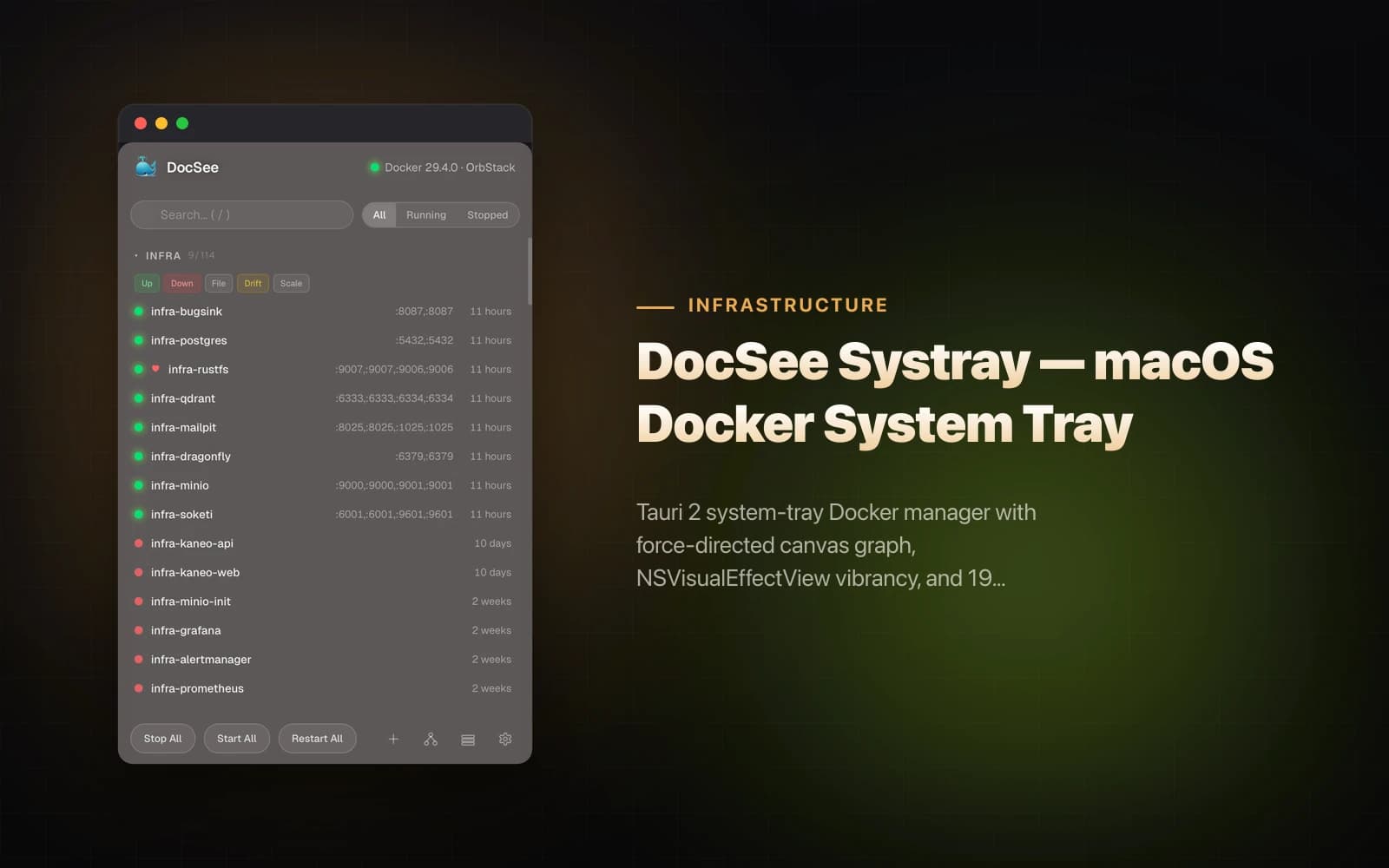
DocSee Systray — macOS Docker System Tray
Tauri 2 system-tray Docker manager with force-directed canvas graph, NSVisualEffectView vibrancy, and 19 commits
9,088lines of code
RustTauri 2.0React 19TypeScriptTailwind CSS v4shadcn/uiZustandBollardTokioNSVisualEffectView
Why a systray variant exists
The DocSee TUI lives in the terminal. The DocSee GUI provides a full desktop window for active debugging sessions. Neither of those covers a third mode: I'm in a browser or editor, not actively debugging, but I want ambient awareness of container health without leaving what I'm doing. I need to know if something is red. If it is, I want to understand why and act on it — without an application switch.
That is the systray use case. A macOS menu bar app lives outside the normal application switcher. It is not a window you open intentionally — it is a status indicator that becomes a control surface when you click it. The default answer to ambient Docker awareness is leaving docker stats running in a terminal pane you glance at occasionally. That works, but it provides no actionability and no structural picture of how containers relate to each other. A list of numbers does not tell you that the postgres container consuming 80% CPU is shared across four compose projects, and that restarting it will affect all of them simultaneously. I needed that structural view to be immediate, not something I had to construct mentally from flat stats output.
The force-directed graph as the differentiating decision
Most Docker GUIs render containers as rows in a table. For a flat set of containers that representation is sufficient. When you're running several compose projects simultaneously — each with its own networks, shared volumes, and internal service dependencies — a list actively hides the structure. A row labelled postgres tells you nothing about which compose stacks depend on it, which network it's on, or what would break if it went down.
The force-directed canvas graph renders container relationships as edges: network membership, volume sharing, compose project grouping. Nodes repel each other; edges attract. The graph settles into a layout where tightly coupled containers cluster and isolated ones float to the periphery. Topology becomes visible at a glance. I built the physics simulation from scratch on an HTML5 canvas — there is no graph library. Force calculations run on each animation frame via requestAnimationFrame, with edge attraction weighted by relationship type so compose membership pulls harder than shared network membership alone.
This feature took longer than everything else in the app combined. I would make the same choice again. A list of containers is what every Docker GUI ships. The graph is what makes this variant show something a list structurally cannot.
NSVisualEffectView FFI and the principle behind it
Tauri 2's default window rendering produces a standard light or dark background. That is technically correct. But a menu bar panel that looks like a web app running in a shell sits visually wrong next to native macOS panels — it breaks the platform's visual language in a way users feel even if they can not articulate it. The default was not optimal for a tool that lives in the macOS menu bar permanently.
NSVisualEffectView is the AppKit API behind the frosted-glass blur in Spotlight, Notification Center, and native macOS popovers. It is not exposed through Tauri's Rust API directly. The path is: reach into the Objective-C runtime via the cocoa and objc Rust crates, find the window's content view, wrap it in an NSVisualEffectView, configure the blending mode and material. I had already used this technique for ConfigPilot, so the FFI sequence was familiar rather than exploratory. The result is a panel that looks like it belongs on macOS instead of one that apologises for being an Electron alternative.
Nine thousand lines, nineteen commits, approximately two working days. The honest read: most of the LOC is in container lifecycle management, crash-loop detection that watches for rapid restart cycles, resource pressure alert logic, Docker Compose controls, and image layer analysis. The graph physics and the ObjC FFI are the technically interesting pieces. The rest is the unglamorous work that makes a tool actually useful rather than impressive only in a screenshot.
The snapshot and rollback feature — capturing the current state of a compose stack and restoring it — came from a real incident where I brought a project back to a known-good state after a dependency conflict mid-session. Tools built from actual friction are different from tools built from imagined use cases.
Did this resonate?
Love
Fire
Insightful
Clap
Thought-provoking
Comments
Loading comments...