DocSee TUI — Terminal Docker Manager
Rust TUI for Docker container management with Ratatui, Tokio async, Bollard, and GitHub Actions CI
10,310Rust lines
RustRatatuiTokioBollardCrosstermGitHub Actions
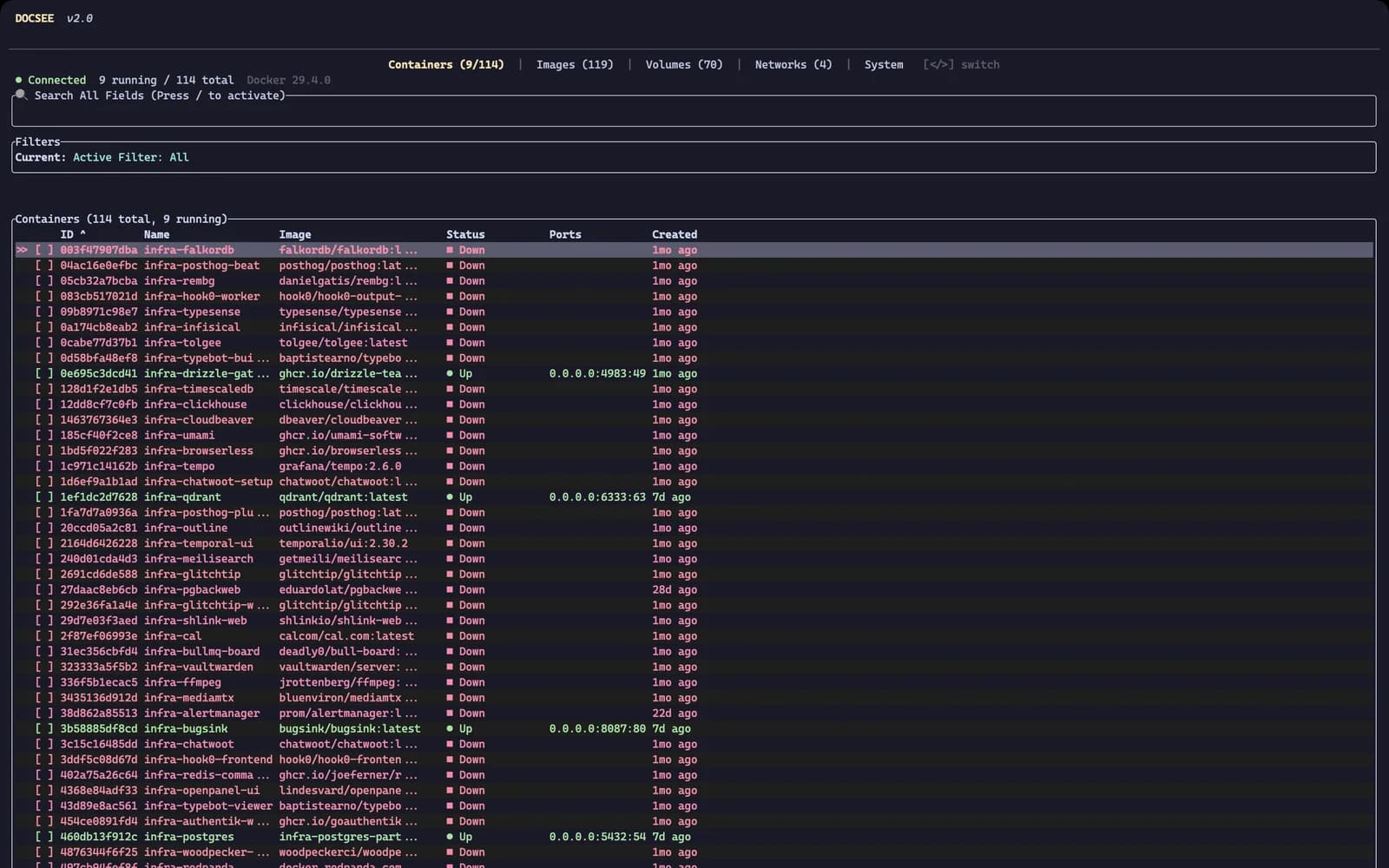
Why a TUI specifically
DocSee started as a desktop GUI — the app in the main docsee repository. The GUI makes sense for a specific mode of working: you're task-switching, you want ambient Docker visibility in your peripheral vision without keeping a terminal open. But there is a second mode I'm in far more often — terminal open, editor open, nothing else. In that mode, reaching for a separate GUI window to check container CPU during a build is a context switch with real friction. A floating panel is not ergonomic in that state; it's an intrusion.
The default answer is to keep docker ps and docker stats running in another pane. That works, but it's stateless in every way that matters. Logs vanish when you scroll past them. You cannot act on what you're looking at — you see that a container is red, then you open another tab to restart it. The cognitive overhead of correlating containers to compose projects, remembering which services belong together, accumulates across a working session into something that genuinely degrades focus. I wanted a tool that lived in the terminal natively, behaved like a real application with persistent state and actionable controls, and handled the full container lifecycle — not just inspection. That is the case for a TUI.
Rust was deliberate. Ratatui is the mature choice for Rust TUI work — its constraint-based layout system maps cleanly to terminal rendering, and the widget abstraction is composable without being magic. Bollard provides typed async access to the Docker API without shelling out to the CLI. Combined, the application ships as a single binary with no runtime dependency beyond the Docker socket. On a remote server where I want Docker visibility without installing a runtime, that matters.
The architecture decisions worth explaining
Ratatui's layout engine allocates space by composing constraints: each widget declares what it needs, and the solver distributes. Building 60-point rolling resource charts inside this model required understanding the constraint system well enough to reserve fixed pixel height for chart areas, then handle the circular buffer updates separately from the render cycle. The rolling window logic, the axis rescaling as values change, and the threshold-triggered colour changes at different resource pressure levels — none of that is a Ratatui feature. Ratatui provides Dataset and Chart primitives. The behaviour is custom. That's where most of the chart implementation time went.
The interactive shell feature — dropping into a container's shell directly from the TUI — required careful terminal mode management. Ratatui holds raw terminal mode for its rendering cycle. Launching a shell means restoring the terminal to a usable state, handing off control to the subprocess, then reclaiming raw mode cleanly when the shell exits. Getting that teardown-and-reclaim sequence wrong produces a broken terminal that requires a reset command. I spent more time on that edge case than on any other single feature, and the time was worth it — a tool that occasionally corrupts your terminal is worse than no tool at all.
The CI matrix runs across five targets: macOS x86, macOS ARM64, Linux x86, Linux ARM64, and Linux ARMv7. ARM64 binaries are cross-compiled from x86 runners. Cargo caching makes the matrix practical — cold builds on the cross-compilation targets were the slow path, and the cache brings repeat runs to under three minutes for the common case.
Honest caveats and what the project actually proved
10,310 lines of Rust is a real commitment for a terminal Docker manager. Lazydocker exists, is excellent, and has a larger community. I am not going to claim DocSee TUI is a better Docker manager than Lazydocker in the ways that matter to most people. The value this project delivered was not a superior tool. It was understanding Ratatui's layout model deeply enough to build custom chart widgets from first principles, internalising Bollard's async API, and shipping a production-quality Rust binary with a proper multi-platform CI pipeline.
The confirmation-gated destructive operations — you cannot accidentally kill a container because every destructive action requires an explicit confirm step — were not in the original design. They came from using early versions of the app and nearly destroying the wrong container twice during actual work sessions. The safety model was shaped by failure. That is the part I would carry forward into any similar project: the feature list of a developer tool is obvious, but the interaction safety design only becomes clear once you have used a broken version of it under real conditions.
Did this resonate?
Love
Fire
Insightful
Clap
Thought-provoking
Comments
Loading comments...