MetriX — Developer Infra Monitoring HUD
33-panel Tauri v2 + Svelte 5 macOS developer HUD with Rust sysinfo metrics, Docker management, and an embedded webhook server
33panels
Tauri v2Svelte 5RustTypeScriptTailwind CSS v4sysinfoBollardreqwesttiny_httpFuse.jsShiki
The eight-tab problem
At some point I counted the applications I had open just to maintain awareness of a running project: Activity Monitor, Docker Desktop, a terminal watching logs, another terminal with curl for hitting a local API, a browser tab with the network inspector open, VS Code for editing a config file, a Slack thread with webhook payloads pasted in by hand, and a GitHub Actions tab waiting for a CI run. Eight contexts. Eight mental registers to context-switch between.
The frustrating part is that none of this felt wrong in isolation — each tool was doing exactly what it was designed for. The problem was what lived in the gaps between them. You'd notice a memory spike in Activity Monitor and then have to switch to Docker to check container stats, then to the terminal to tail the right log. The information was never wrong. It was just scattered at the moment you needed it most.
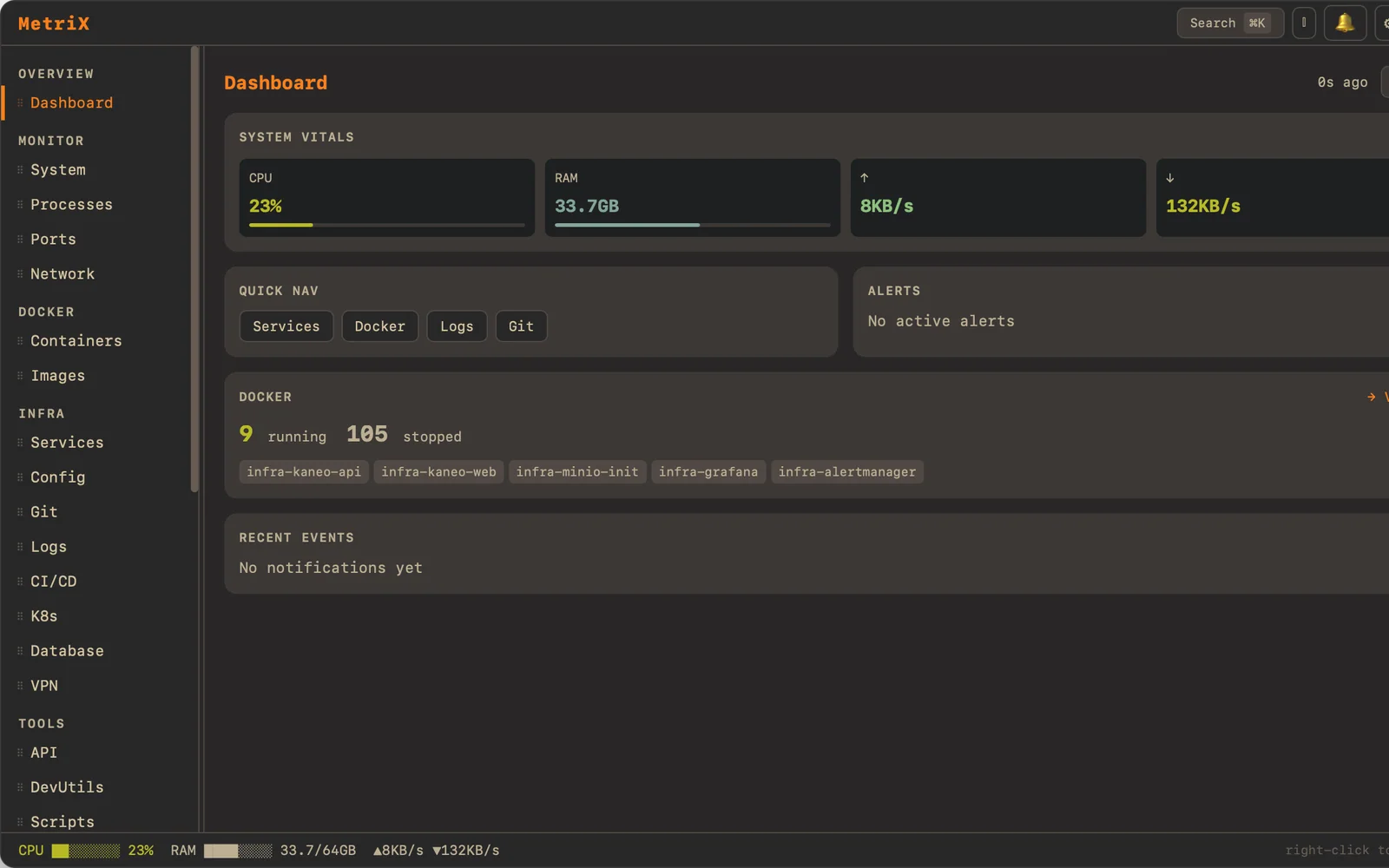
PgUp from any application and MetriX replaces all of that. A transparent overlay with 33 panels covering system metrics, Docker management, port monitoring, config editing, API testing, CI status, SSH sessions, log tailing, git operations, and a webhook inspector. One keypress to open, one to dismiss, nothing else interrupted.
Zero JS polling and CORS-free HTTP
The default approach to metrics in a web-rendered desktop app is obvious: setInterval in JavaScript, call a Tauri command every N seconds, update state. I built an early prototype that way. It worked until it didn't — JS polling at two-second intervals created jitter under load. The UI thread was doing too much: receiving data, diffing state, rendering, and managing timers simultaneously. Under a Docker build or a compilation run, the metrics most interesting to watch became the least reliable.
The architecture I landed on inverts the flow. A dedicated Rust thread reads from sysinfo and emits Tauri events every two seconds. The UI subscribes and renders reactively, but it has no say in the timing and no responsibility for scheduling. This is the distinction between pull and push: push means the data source controls cadence, which is almost always correct for time-series metrics. The UI thread does only one thing: render what arrives.
The HTTP client panel extends the same principle. fetch runs in the WebView, which means CORS preflight, same-origin policy, and all the restrictions the browser sandbox imposes. My API tester needs to hit arbitrary internal endpoints — localhost, private network addresses, services that don't send CORS headers because they were never designed to be called from a browser. reqwest runs inside the Rust process, which has no concept of CORS. No preflight, no restrictions, no workarounds. Hit anything the machine can reach.
The embedded tiny_http webhook server follows the same logic. The default for a webhook inspector is an external tunnel. The Rust binary starts a small HTTP server on a configurable port at launch, and the webhook panel subscribes to the stream of incoming payloads via Tauri events. No external proxy, no account, no rate limits.
Spec-first at 33 panels
Thirty-three panels is not a number you arrive at through iteration. If you start building and discover panel fifteen as you go, you'll make integration decisions for panel five that contradict what panel fifteen needs. I wrote a 1,486-line SPEC.md before I wrote a line of code, because with 33 panels any ambiguity about scope or panel responsibility would compound in ways I couldn't untangle later.
The spec answered questions like: which panels share state, which panels write to the filesystem and how do conflicts get resolved, what does the keyboard navigation model look like at this scale, and what is the naming convention for the 34th Rust command handler. Every integration decision made on paper, where changing your mind costs one deleted paragraph rather than three days of refactoring.
The resulting codebase is approximately 19,200 lines across 34 Rust command handlers and the Svelte 5 component tree. Shiki handles syntax highlighting in the config editor and log viewer panels, running on the Rust side to keep a large highlight bundle out of the WebView. Fuse.js provides panel search — with 33 panels, typing two characters to jump directly is not optional.
Honest caveats
MetriX is ~19,200 lines of personal tooling and the polish is uneven. Some panels — system metrics, Docker management, the HTTP client — are production-grade in the sense that I use them constantly, they handle edge cases, and I have tested failure modes. Other panels are adequate: they work for the happy path I need and haven't been exercised beyond it.
That unevenness is not a failure of the project. It is an accurate reflection of how personal tooling develops. You polish what you use. What MetriX demonstrates is not that every panel is equally finished — it is that I can design a coherent 33-panel system under a clear architectural constraint (Rust owns all side effects, UI thread only renders), carry it through from a written specification to a working tool, and make technical decisions that solve real friction rather than impressive-sounding problems that don't exist in practice.
Did this resonate?
Love
Fire
Insightful
Clap
Thought-provoking
Comments
Loading comments...